You’re standing in line at a bank, watching the clock, and wondering why this still feels like a chore in 2025. You need an account. You need it soon. But you don’t need the paperwork shuffle, the awkward small talk, or the “bring another document” surprise.
So yes, you can often open a bank account online. In many places, it’s now the default. You fill out details, verify your identity, and get access to an account without stepping outside.
Still, “online” doesn’t always mean instant or effortless. Some banks are smooth. Others are picky. And a few situations still push you back toward a branch. Let’s make it make sense.
What “Online” Really Means Behind The Scenes
When you hit “Submit,” the bank doesn’t just take your word for it. An online application triggers checks designed to confirm you’re real, your documents are valid, and the account won’t be used for fraud. It’s less about suspicion and more about basic safety.
This is where digital KYC comes in, short for Know Your Customer. You’ll usually upload an ID, sometimes a proof of address, and occasionally a selfie or short video. The bank compares details, looks for tampering, and checks consistency.
Some banks verify you instantly through databases. Others rely on manual review, which is why approval times can feel random. If your ID photo is unclear or your details don’t match perfectly, the system may flag it even if everything is legitimate.
The good news is that this process is now routine. The better the bank’s setup, the less you notice it. And that leads to the real question most people should ask next: what do you need ready so it goes smoothly?
The Stuff You’ll Want Ready Before You Start
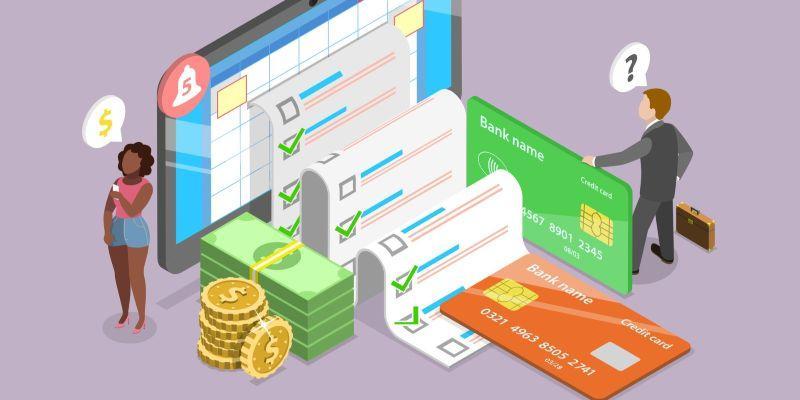
Before you begin, gather what the bank is likely to request, and keep it close. Most applications ask for a government-issued ID, a phone number, and an email. Many also want proof of address, depending on the account and local rules.
Small mismatches cause big delays. If your application uses a shortened name but your ID shows your full legal name, the verification can fail. The same goes for an old address, a missing apartment number, or a date format that doesn’t match your document.
Your document photos matter more than people expect. Blurry images, glare, cropped corners, or low light can trigger a rejection. If the bank asks for a selfie check, you’ll want a clean camera lens and steady lighting so it doesn’t look suspicious.
Also, be ready to answer a few basic questions. Some banks ask about your employment, expected account use, or source of funds. It’s usually quick. It’s also one of the places people freeze, then abandon the application halfway through.
The Steps Feel Simple, Until One Thing Slows You Down
The flow is usually smooth at first. You pick an account, enter your details, and agree to the terms. Then comes identity verification, a quick funding step if required, and access to your new dashboard. Sometimes you even get a virtual card right away.
Where it slows down is rarely the form. It’s the checks. A system might not recognize your document type, or it might struggle with glare on your ID. Some banks also add extra screening before issuing a debit card, even after the account is created.
Then there are the moments that feel small but derail everything. A verification link expires. A one-time code doesn’t arrive. The app crashes right after you upload files. You’re left thinking you did something wrong, when it’s often just a fragile process.
Most of the time, the fix is straightforward. But it helps to know what to try before you start over from scratch. Because if the online route stalls, you want a calm next move, not a frustration spiral.
When Online Banking Hits A Wall And What To Do Next
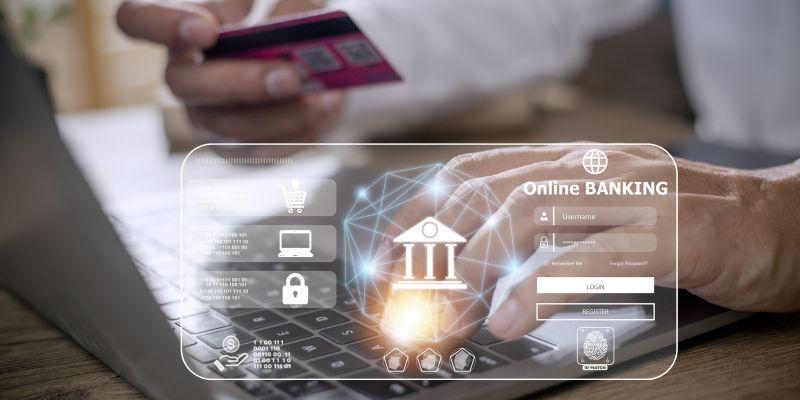
If you get stuck, start with the basics. Try a different browser or the bank’s official app. Turn off VPNs if you’re using one. Check that your camera permissions are enabled. Many “mystery errors” disappear once the setup is clean and the connection is stable.
Next, look at your details like a bank would. Use your legal name exactly as it appears on your ID. Match your address format to your proof of address. If your documents were rejected, retake photos in bright light with all corners visible, no edits, no filters.
Sometimes the wall is real, not technical. Certain account types still trigger in-person steps, like some joint accounts, business accounts, or cases involving cross-border residency. A bank may also require a branch visit if its checks can’t confirm your identity digitally.
If it’s a hard stop, don’t keep brute-forcing the same application. Contact support with your reference number if you have one, or switch to a bank with clearer digital onboarding. The goal is progress, not loyalty to a broken form.
Picking The Right Bank Without Falling For Shiny Promises
Online account opening is full of flashy hooks. “Zero fees.” “Instant approval.” “Cashback in minutes.” Some of these offers are real. Some are temporary. And some are designed to distract you from the parts that cost you time or money later.
Instead, think about how you’ll actually use the account. Will you need easy ATM access? Low-cost transfers? A debit card that arrives quickly? A clean way to receive salary payments? These everyday details matter more than a headline offer.
Pay attention to the quiet friction points. Monthly maintenance fees, minimum balance rules, and out-of-network ATM charges can turn a “free” account into a slow drain. And if something goes wrong, customer support quality suddenly becomes your favorite feature.
Also consider whether you want backup options. Digital-only banks can be excellent, especially if you live inside the app. But a traditional bank with strong online opening can offer a branch as a safety net. Choose what fits your life, not what looks coolest on a banner.
Digital-Only Vs Traditional Banks, And Why The Best Choice Is Personal
Digital-only banks tend to feel built for speed. The onboarding is quick, the app is the product, and the experience is designed around everyday tasks like transfers, card controls, and spending insights. If you live on your phone, it can feel effortless.
Traditional banks bring a different kind of comfort. They often handle more complex needs, like cash deposits, in-person identity checks, or niche account services. And when something gets complicated, having a branch option can reduce stress, even if you rarely use it.
The twist is that the lines have blurred. Some traditional banks now offer smooth online opening, while some fintech apps rely on regulated partner banks behind the scenes. The best pick depends on your habits, your comfort level, and what you expect your bank to help you do.
Security Isn’t A Vibe, It’s A Few Smart Habits
Opening an account online can be a great move, as long as you keep a steady hand with security. Use the bank’s official website or verified app store listing, not a random link. If something feels off, slow down and double-check before you type in anything sensitive.
Treat your login like a key, not a password. Use a strong, unique passphrase, enable two-factor authentication, and keep your recovery options up to date. These steps are small, but they cut down the biggest risks dramatically.
Once the account is live, stay lightly alert. Turn on transaction notifications, review activity now and then, and act quickly if you see something unfamiliar. Online banking works best when you pair convenience with a little awareness, and then get on with your day.